With SuiteWorld buzz building, customers keep asking what AI in NetSuite can actually do today. Here’s a point-in-time map of the AI already live in production accounts, how teams pair outside tools like ChatGPT with NetSuite, and where a consulting partner still matters.
There is a lot of buzz currently about new AI offerings coming to NetSuite as we approach SuiteWorld, and a lot of customers are asking “what can I do today?” with AI and NetSuite.
To that end we wanted to give an update on how customers can currently utilize existing AI and NetSuite to get value TODAY rather than tomorrow.
What “AI in NetSuite” actually means right now
Here’s a quick, point in time map of AI that’s live in production NetSuite accounts:
- Text Enhance (generative AI embedded in NetSuite). Drafts and refines long-form text (item descriptions, emails, job posts, goals, etc.) with context from your NetSuite data; includes translation to 20+ languages and admin controls to tailor prompts and tone
- Bill Capture (AI/ML + OCR for AP). Email or drag and drop vendor invoices; NetSuite uses AI/ML-based document detection and OCR to populate bills and perform 2/3-way match—no per page scanning fees
- NetSuite Expert in SuiteAnswers (AI assistant). An AI agent that surfaces precise, cited answers from official docs and knowledge base; broadly available, including US/Canada
- Prompt Studio + SuiteScript Generative AI APIs (for admins/devs). Configure and govern prompts used by Text Enhance; programmatically embed OCI hosted LLMs into SuiteApps via N/llm.
- Planning & Budgeting (NSPB) with Intelligent Performance Management (IPM). AI/ML accelerates forecasting, generates narratives/explanations, and surfaces drivers, trends, and anomalies.
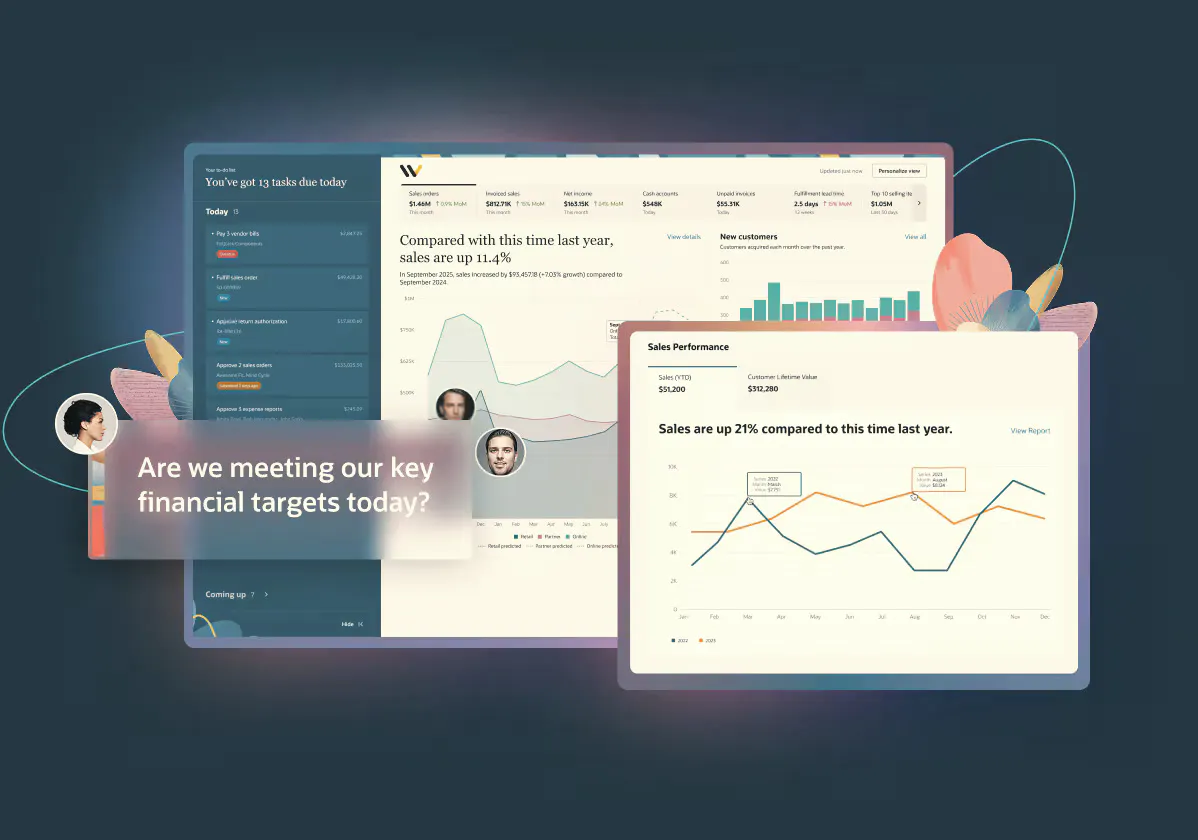
- NetSuite Analytics Warehouse (NSAW) on Oracle Analytics/ADW. AI assisted analysis (AutoInsights, Explain, conversational AI assistant) plus out of the box predictive models; built for NetSuite data.
As you can see, most of NetSuite’s current AI offerings are part of sophisticated add-on modules and non-native tools.
How can I use AI such as Copilot or ChatGPT with NetSuite Currently?
NetSuite has announced that coming soon you will be able to directly interface an outside AI tool into NetSuite (stay tuned for a future blog post on this!). Currently, these toolsets exist outside of the system and we have seen them put to use by customers and partners in the following ways:
- Saved Search and SuiteAnalytics Assistance. Current GPTs and LLMs are quite good at summarizing multiple sources to provide answers to questions such as “how can I create a search/report in NetSuite to do X.” The tools can provide great starting points for formulas and workbooks which will put administrators on a path to gathering user data quicker than searching the internet alone. See our blog post “Leveraging AI to become a super searcher” for more information
- Input Data from NetSuite for analytics and formatting. As GPTs are evolving and adding new features, many are starting to incorporate data analytics and formatting assistance. If your organization has a more advanced version of a GPT or LLM, you can export data from NetSuite and ask the AI to look for insights, generate additional reports or even provide full blown statistical analytics. It can also be leveraged to take files and file types and spit out formatting required for imports (you should always validate the data before directly importing!)
- Create User Digestible Documents. One of the most powerful applications of LLMs is the ability to take multiple documents, summarize, and generate documents tailored to specific roles or tones. This means that you can take multiple internal help documents and requirements documents and have AI give you a concise training plan that is easy for users to understand.
- Help Troubleshoot Scripts. For those customers who have advanced developer teams, AI has the ability to assist with script troubleshooting and starting points. While not ideal for non-technical users, AI can help format code, syntax, and potentially find errors in code which can save developers time so they can focus on optimizing rather than fixing.
Can AI replace my consulting partner?
AI has made leaps and bounds in the last few years, it does not have the ability to think critically or strategically. While it can assist with basic functions such as listed above, it won’t ever ask “why do you want to do that? Is there any other information that would be helpful? Will this break a process flow?”
Consulting partners will always have a place if they can assist you with contextual, strategic business decisions.
Put NetSuite’s AI to work today
See what AI in NetSuite can do for your team right now, with a partner to guide the strategy.
Book a demo